
Cortex for ChatGPT
Give ChatGPT the project knowledge you want it to use. Cortex keeps that knowledge available across conversations and your connected coding agents.

Knowledge in Cortex
Your project requirements
Your team’s standards
The reasons behind each decision

ChatGPT
Knowledge available before the next action
Connect ChatGPT to Cortex
Start with one agent. Follow the guide through Account authorization, instructions, and a real connection check.
Install Cortex
Open Socra Cortex in the ChatGPT plugin store. Check that the developer is socra and select Install plugin. This path does not require a terminal or a custom Cloud Project.
Choose your Socra Account
Follow the Socra sign-in opened by the plugin and choose your Socra Account. In a chat, type @ and select Socra Cortex. The first call may ask you to connect.
New to Cortex? Create your Account. If the agent is already connected to the intended Account, continue.
Set up tools and guidance
Add the suggested Cortex guidance alongside your existing Custom instructions. It teaches ChatGPT when to retrieve and maintain knowledge. You can edit or skip it.
Open Settings → Plugins → Socra Cortex → Permission and select Allow all tools or Allow all actions for Cortex, if available. Some accounts show Apps instead of Plugins. Keep this scoped to Cortex; account and workspace settings determine availability. Your organization’s policy still applies. Follow guided setup.
Check the connection
Start a new session and send this prompt. Confirm a real Cortex call returns a Module list. An empty list is valid. Check persistent guidance separately; a text-only answer or an access error does not verify the connection.
Use your project knowledge in the conversation
A new ChatGPT conversation can need the same project background you explained last week. Your reasons for choosing an architecture may also matter to the agent writing the code.
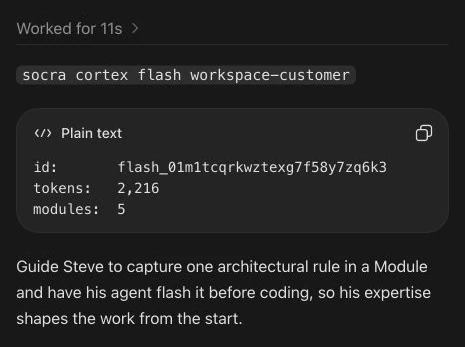
A Module stores current knowledge about how one part of a system should work and why. When your agent flashes a Module, Cortex returns it with its declared dependencies. Your agent then checks that knowledge against the work in front of it.
Keep the knowledge your next task will need
Your agent preserves useful decisions as you work and updates the knowledge when requirements change. You choose whether it saves changes or recommends them for approval.
You supply the judgment
Build, review, and explain decisions as usual. Your agent handles writing and organizing the useful knowledge.
Your agent keeps it useful
The agent maintains the knowledge and retrieves it for later work. It checks current evidence before making a change.
See how retrieval works in Codex
This September 5 recording shows Cortex retrieval. Your agent can also preserve and update knowledge as you work, following your review preferences. The recording uses Codex; follow the ChatGPT setup steps above for your agent.
Your work becomes reusable knowledge
No separate knowledge-writing task. Your agent can preserve what comes out of ordinary work and bring it into the next task.
Illustrative example: a scheduling app for tutors. Replace the details with your own project and choose whether your agent saves changes or recommends them for approval.
Work on your product
Give your agent the task you already wanted to do. With Cortex connected and its guidance in place, it can preserve the useful knowledge along the way.
The agent can preserve the app’s purpose in a product Module.
Explain what needs to change
Review the work as usual. The agent can preserve your correction and its reason, and connect it to the knowledge it needs.
The agent can connect customer knowledge to the product it describes.
Continue with the next task
Your agent retrieves the relevant saved knowledge before working, so you don’t have to explain the same requirements again.
A flash of product-customer includes product first, followed by the customer knowledge.
What this flash includes
product
The app’s purpose. Included as a dependency.
product-customer
Who uses the app. The Module the agent retrieves for this task.
Good to know
What does Cortex add to ChatGPT?
With Cortex guidance in place, ChatGPT can preserve useful decisions as you talk and retrieve them for later work. Your connected coding agents can use the same knowledge.
Can I use the same knowledge with another agent?
Yes. Connect each agent to the same Socra Account. Each can retrieve the Modules it has permission to access. Setup is separate for each agent.
What should I know before connecting?
Cortex shares knowledge saved in Modules. It does not copy your ChatGPT history into other agents or preload every new conversation.
Who controls the knowledge?
You choose whether your agent saves useful knowledge as you work or recommends changes for approval. Modules have owners and version history. Your Account permissions and host tool approvals still apply.
Cortex is included with Coagent. See pricing for the plan and usage terms.


